Backing up a Yaskawa robot manually takes 15 to 30 minutes, including the time spent walking across the factory between controllers.
Someone has to stop the robot, connect a USB drive or SD card, and then walk to the next one. On a line with many robots, this can mean hours of planned downtime that you need to find or schedule just to do backups.
This is one reason regular backups often get skipped.
But a recent backup is what you restore from when something goes wrong—a fault, or a mistake in a robot's job. Without one, getting the robot and production running again can take hours or even days.
Yaskawa recommends backing up robots at least once a month to lower this risk—and more often with many robots, frequent job changes, or multiple shifts.
When was the last time you backed up your Yaskawa robots?
Checkbot backs up Yaskawa robots remotely and automatically, without stopping production.
It does this in three ways:
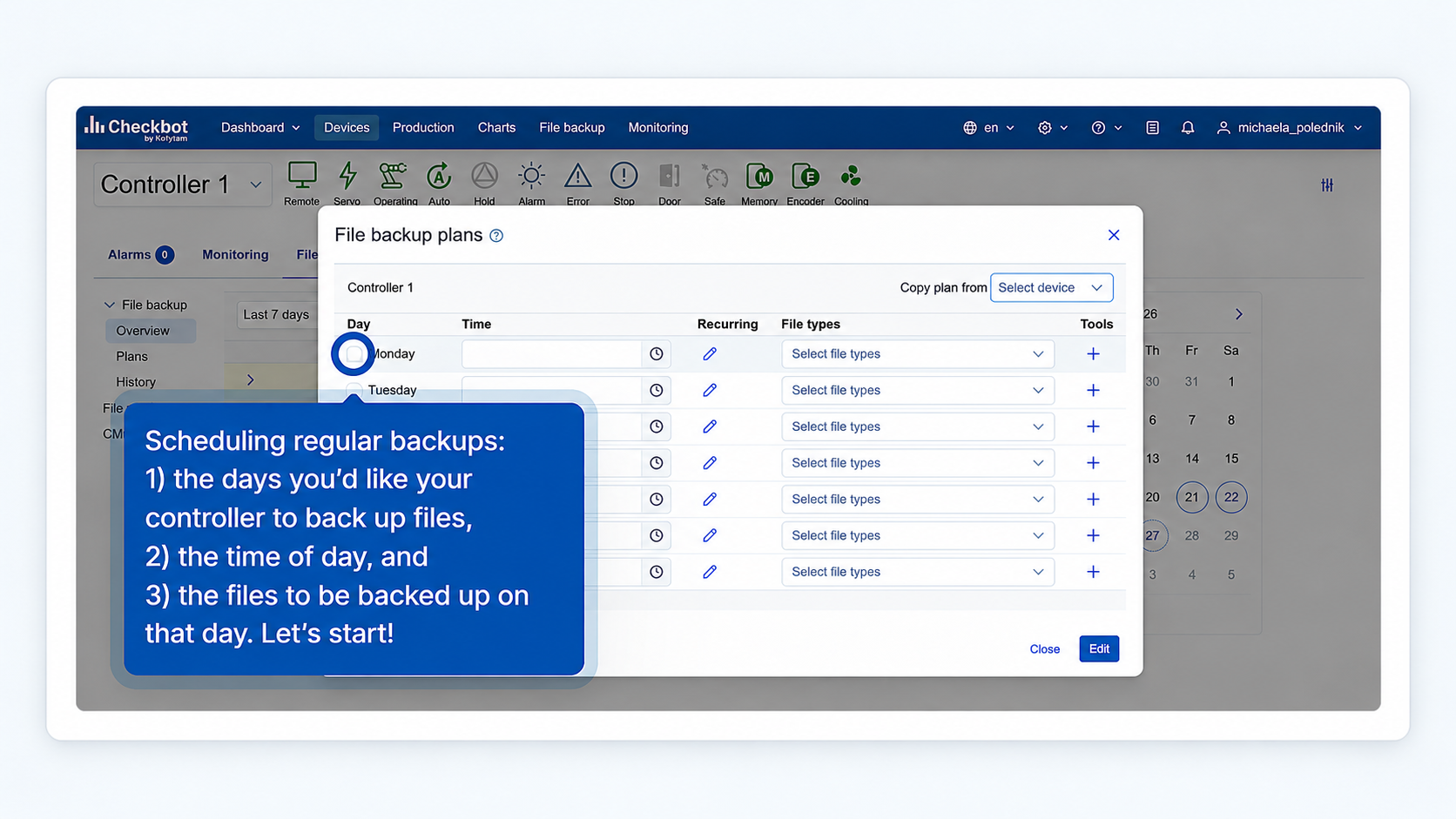
1. Scheduled backups
Set a schedule once, for example, every Monday and Friday at midnight, and Checkbot runs the backups automatically from then on.
Good for keeping many robots backed up regularly, without anyone having to remember.
Picture 1: Scheduling a regular, automated backup in Checkbot
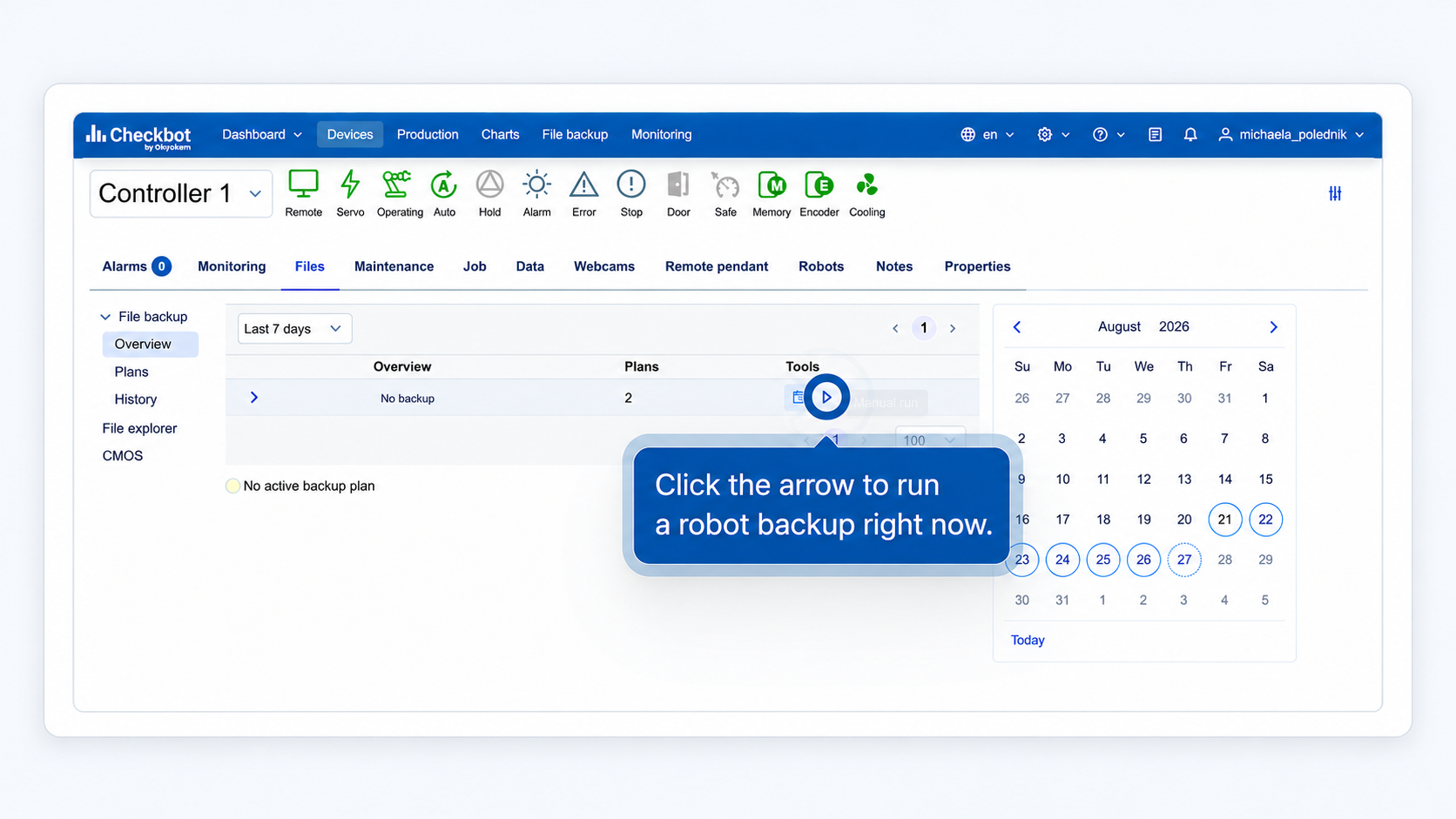
2. Instant backups on the go
Start a backup remotely from a PC whenever needed: before changing a job, before servicing a robot, or while troubleshooting a problem. No walk to the controller and pendant required.
Picture 2: Running an instant backup
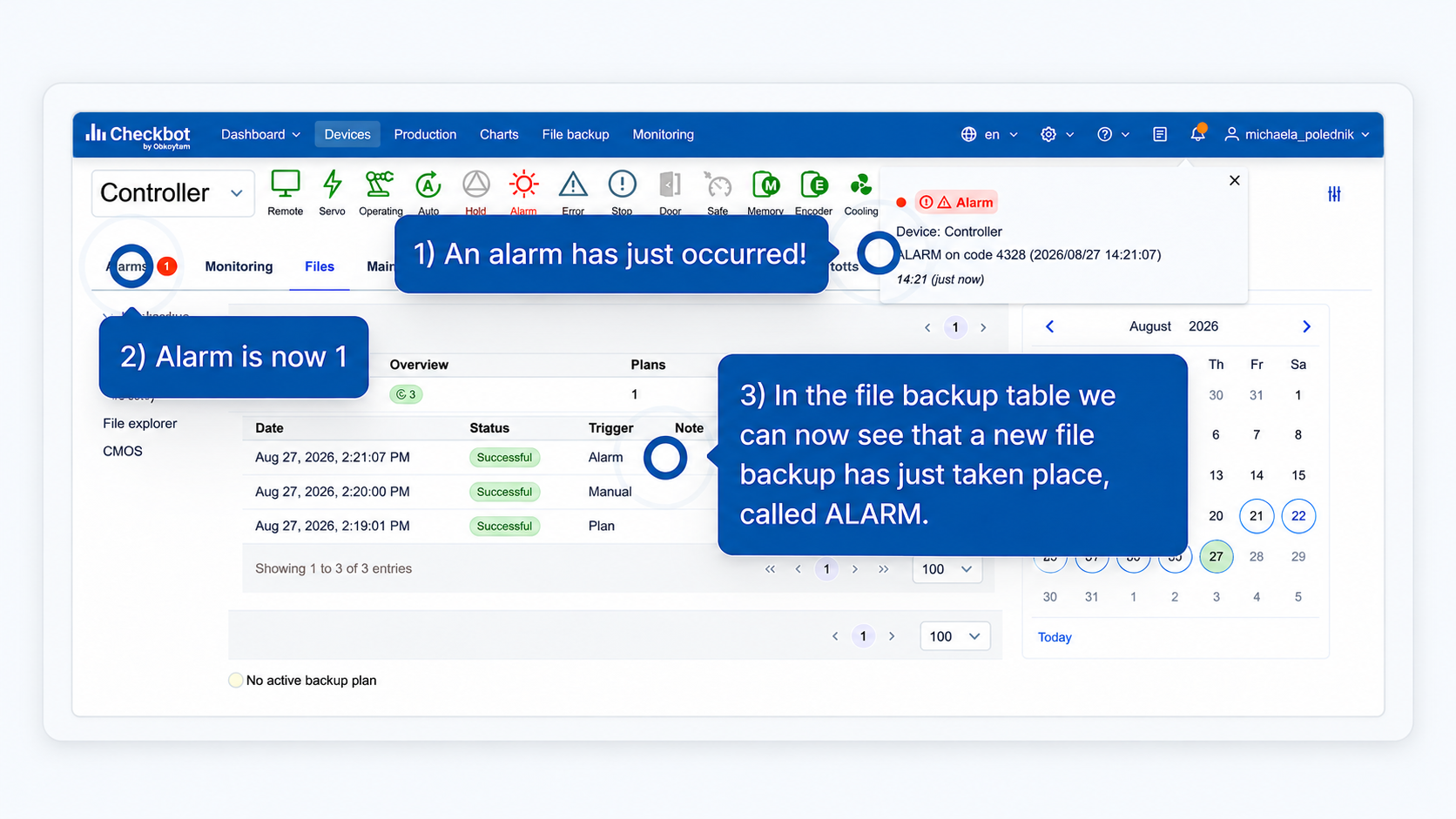
3. Alarm-triggered backups
When an alarm happens, Checkbot automatically backs up the job that was running at that moment, so the exact state of the robot is saved and can be checked later.
Picture 3: A Yaskawa robot job backup that automatically took place when an alarm went off
Most companies combine all three: scheduled backups running in the background, plus instant and alarm-triggered backups for the moments that need one.
If you're not sure when your robots were last backed up, that's usually the first sign it's time to check—and to make sure it doesn't happen again.
If you're already using Checkbot, this might be a good moment to double-check your backup settings. If not, you're welcome to try it on one Yaskawa robot or a whole production line, free for 30 days, no pressure, just an option if you want to see how it works.


 Download 2025
Annual Report
Download 2025
Annual Report