Checkbot 26.2 introduces Yaskawa maintenance plans directly in Checkbot, notifications for upcoming and overdue maintenance, new alarm chart filters and visualizations, and the option to define both the start and end of work shift plans.
The 26.2 update adds some useful new features.
This article covers the most important ones.
You’ll find the full list in the User Guide. Open Checkbot, click the notepad icon in the top right corner  , then go to Introduction → What's New.
, then go to Introduction → What's New. So, let’s talk about the most interesting ones!
1. Maintenance
Before, you could only add your own maintenance plans in Checkbot.
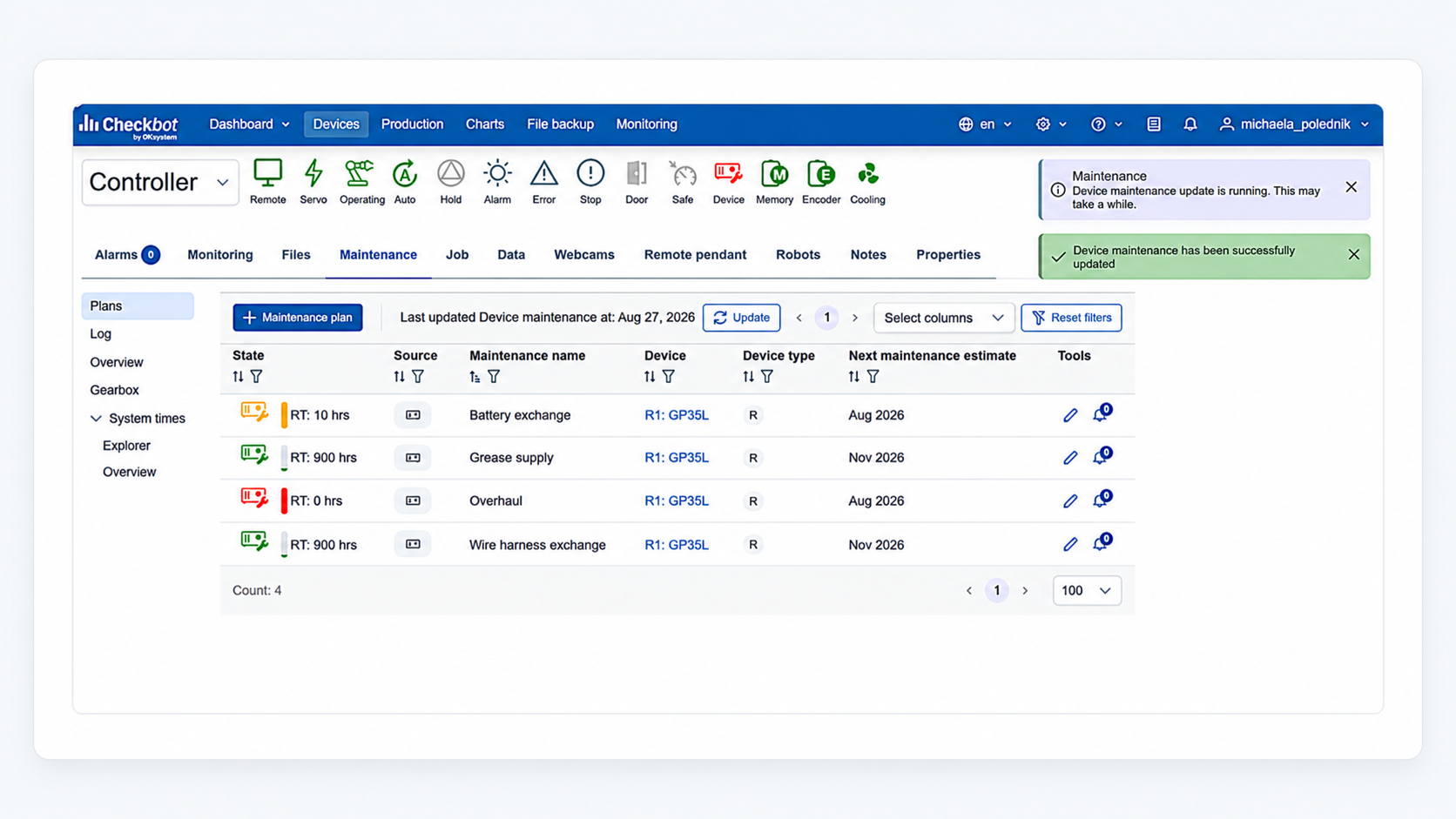
Now, for YRC controllers, you can also see Yaskawa's maintenance plans.
1.1. How to add recommended Yaskawa maintenance plans
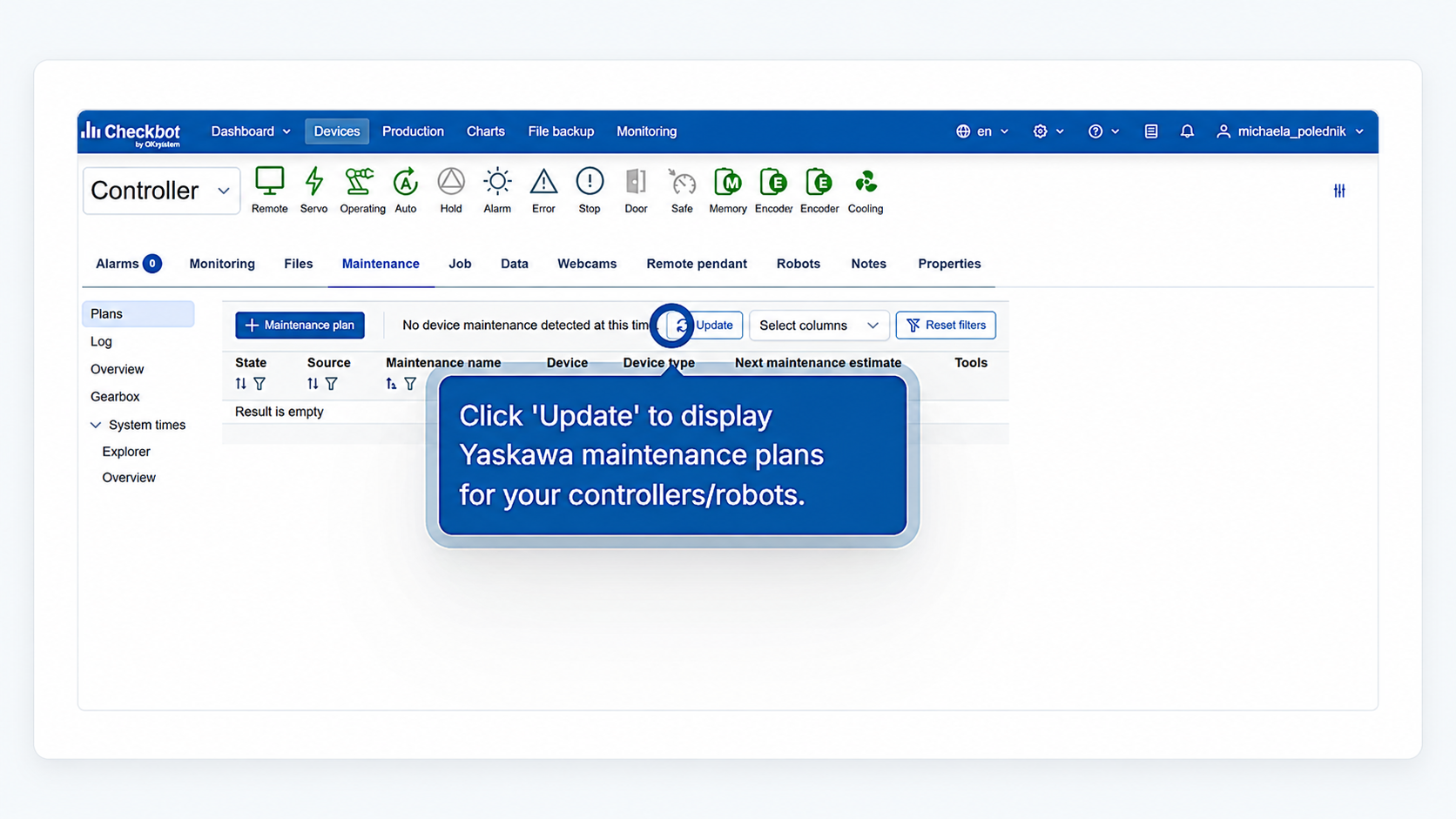
Go to Devices. Select a device (controller) → Maintenance tab → Update.
Picture 1: Uploading Yaskawa maintenance plans into Checkbot
Picture 2: Yaskawa plans displayed/uploaded
1.2. What can you do with Yaskawa maintenance plans in Checkbot?
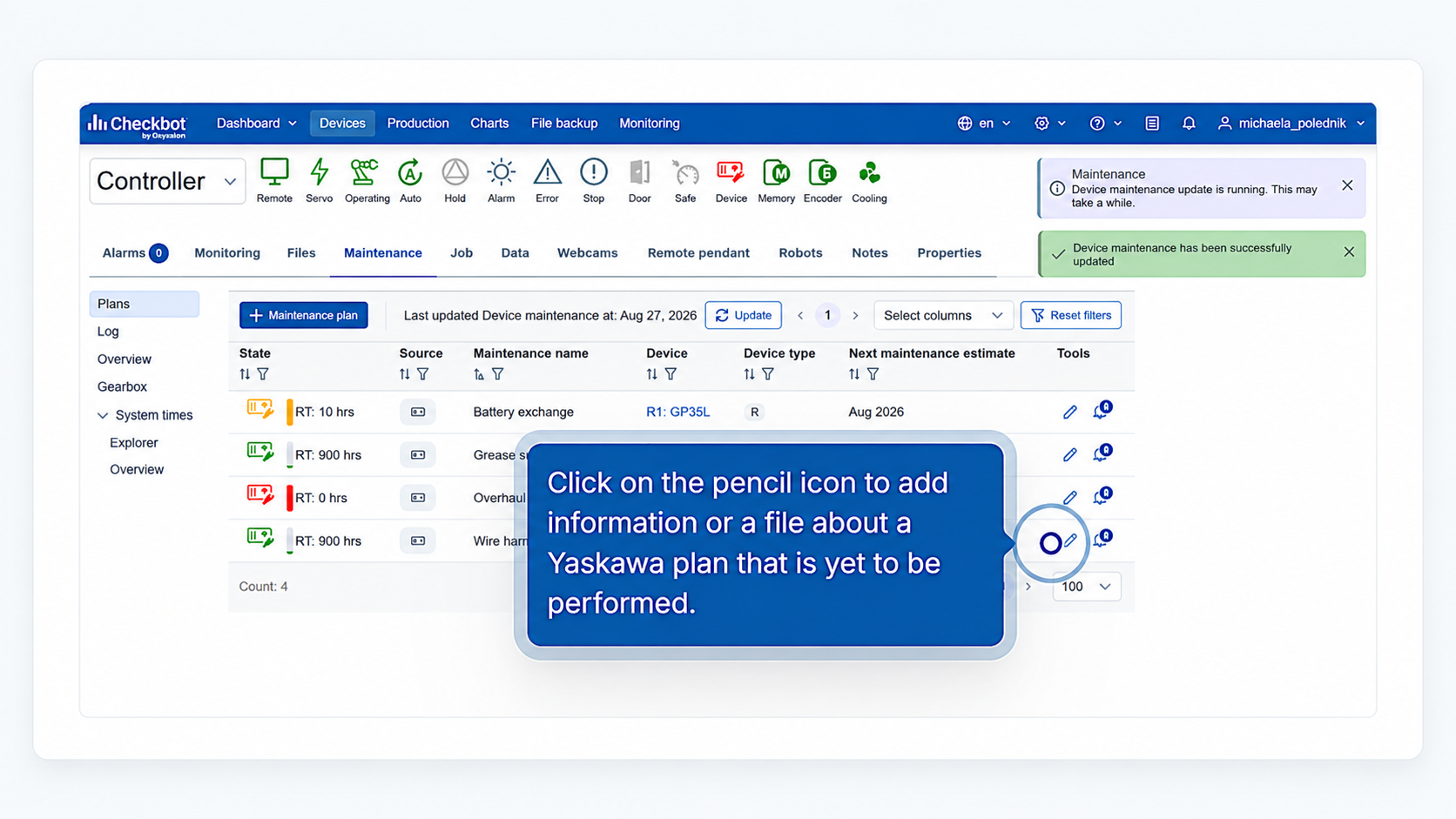
Add any details that are important to you to a Yaskawa maintenance plan that hasn't been performed yet. Just click on the pencil icon to add the information to the Yaskawa plan.
Picture 3: Adding details before the plan is performed
Once a Yaskawa maintenance plan has been performed by a Yaskawa technician, there's also a log (in the left menu) where you can see that.
Picture 4: Yaskawa maintenance plan log

Once in the Log tab, add your own comments or files (e.g. tasks done or a service report) to a Yaskawa maintenance plan that has already been performed.
Picture 5: Add details after the Yaskawa plan was performed
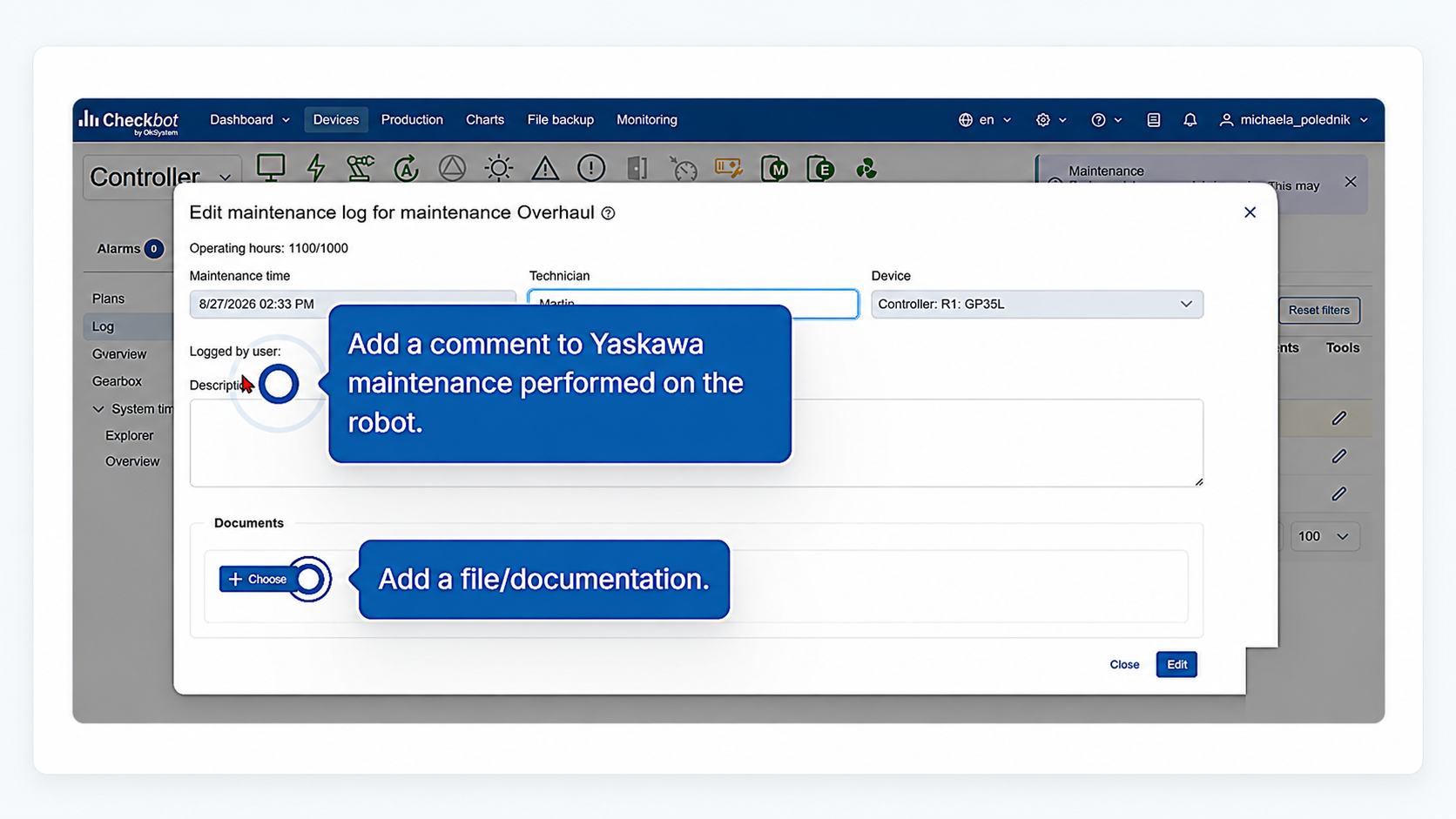
1.3. Important distinction to remember
Yaskawa plans and your own plans in Checkbot look different, so you'll never mix them up:
| What | Icon | Name in Checkbot |
| Yaskawa's plan |  |
Device |
| Your own plan |  |
User |
2. Notifications
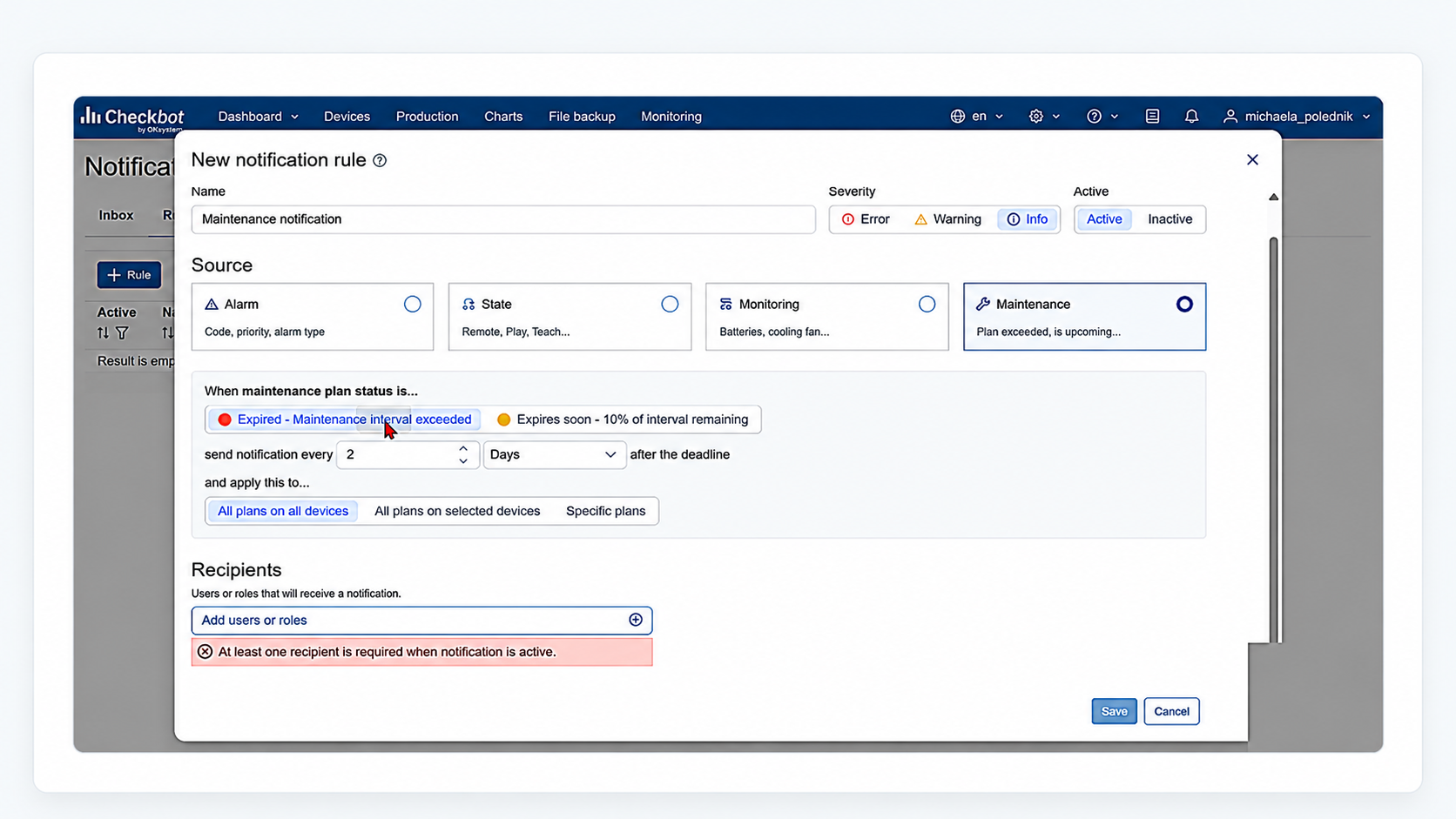
Maintenance plans can now notify you.
You get a message when:
- a maintenance plan has expired
- a maintenance plan is about to expire (10 % of its time left)
Picture 6: Setting a notification for maintenance
3. Alarm charts
Alarm charts are now more powerful than before, with new filters and visualization options.
Some examples of what you can easily see, investigate, and resolve.
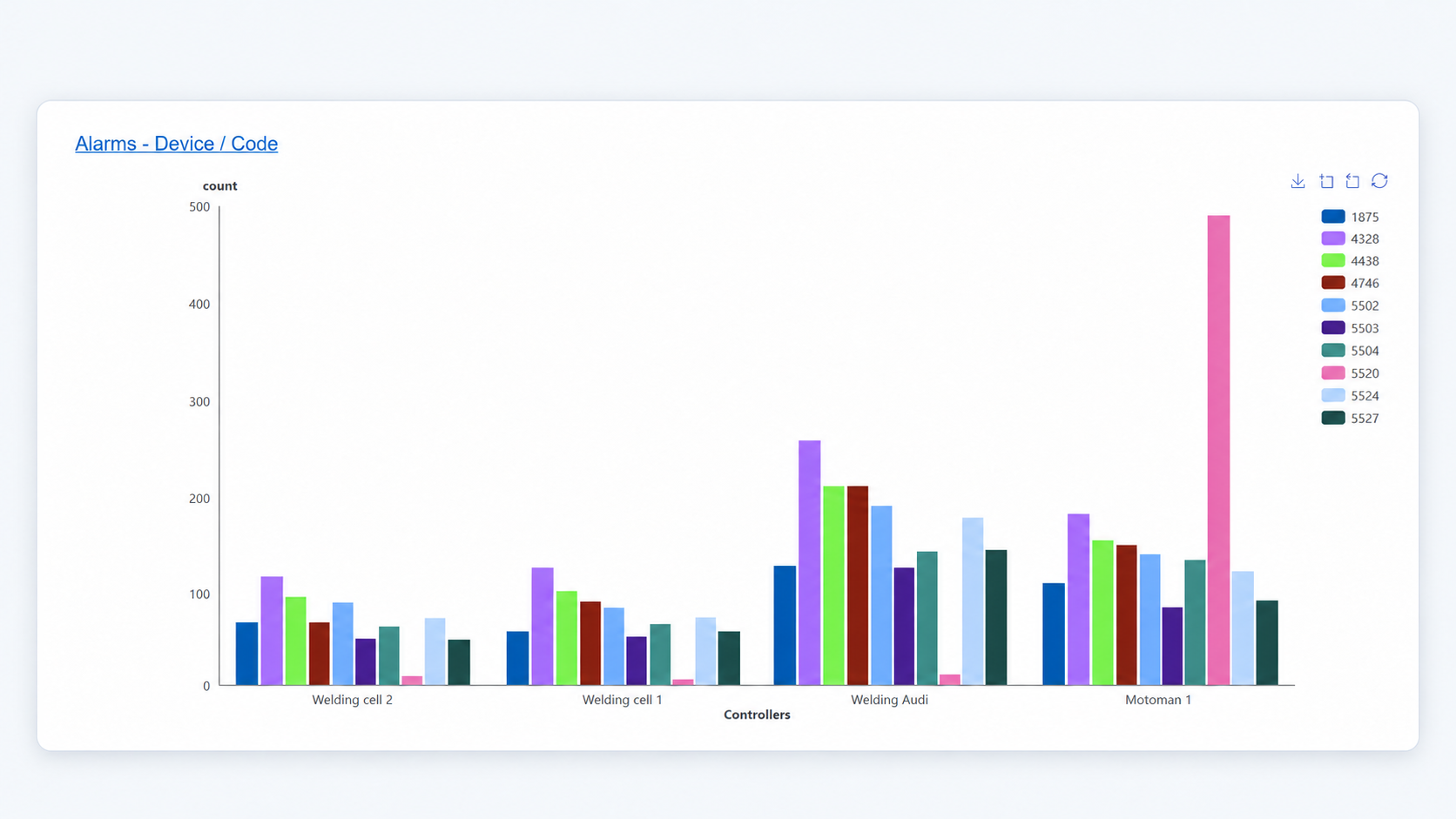
Picture 7:
Which controller has the most alarms, and which ones occur most often? Could this be a risk? Focus on the most recurring alarms to improve your operations.
Or, you can break this information down by days:
Picture 8:
How many alarms occur, on which days, and on which controller?
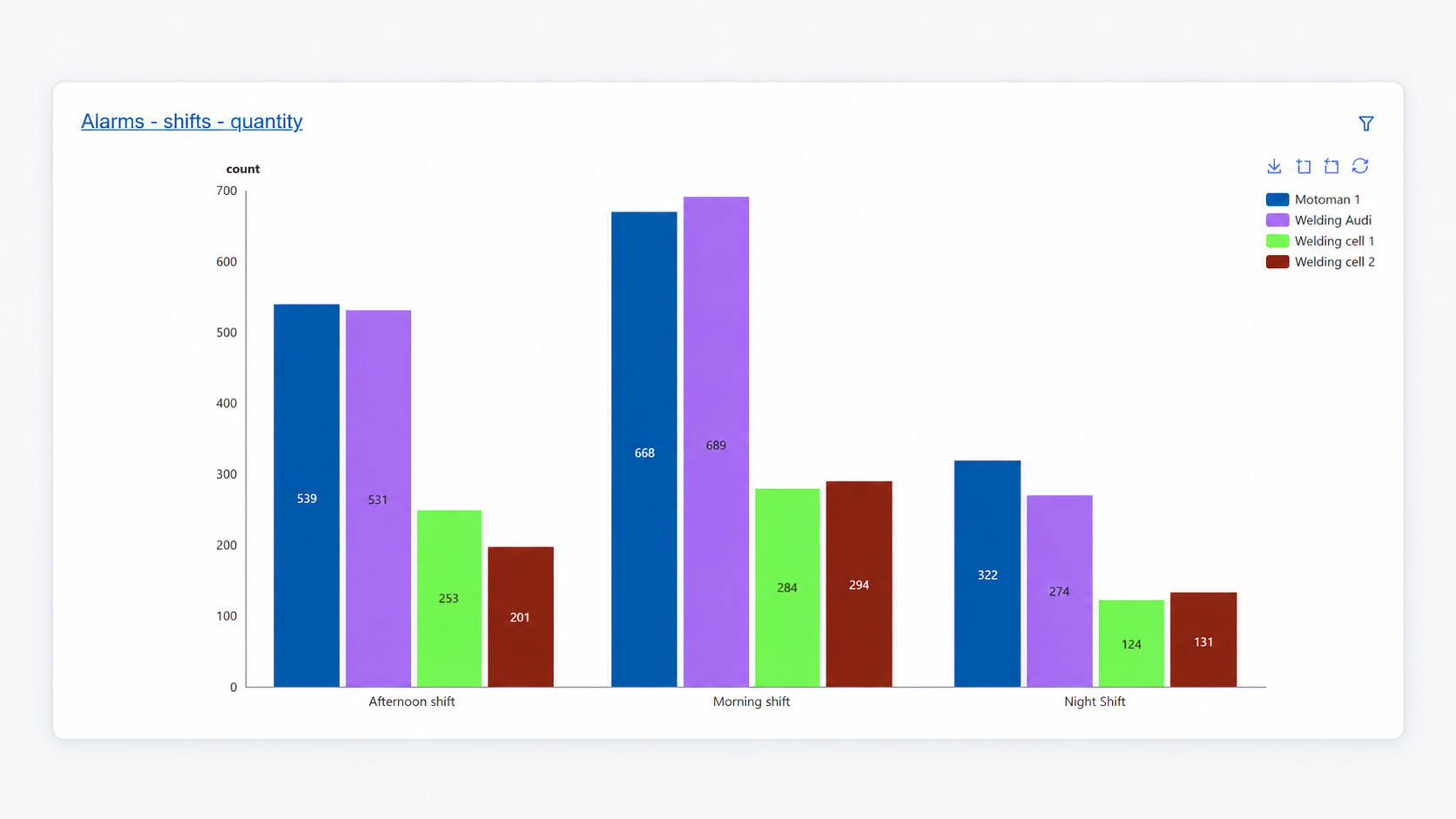
Picture 9:
Or maybe, in your factory, it would make sense to break it down by shifts. How many alarms happen on which shift and on which controller? Is one shift more problematic than others?
Go and investigate!
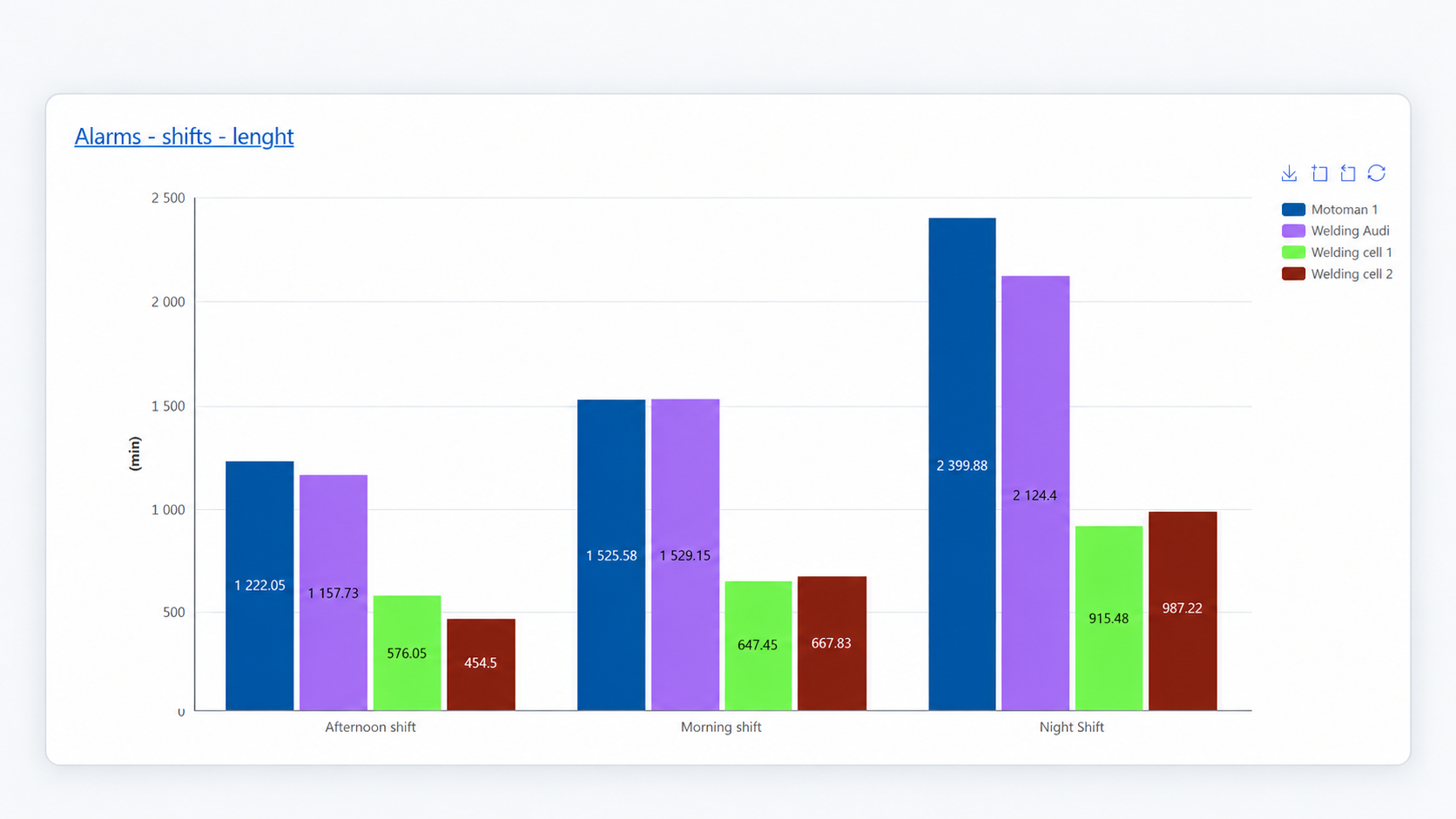
Picture 10:
Or how long did these alarms last? Sometimes it's the least frequent alarms that cause the longest downtimes.
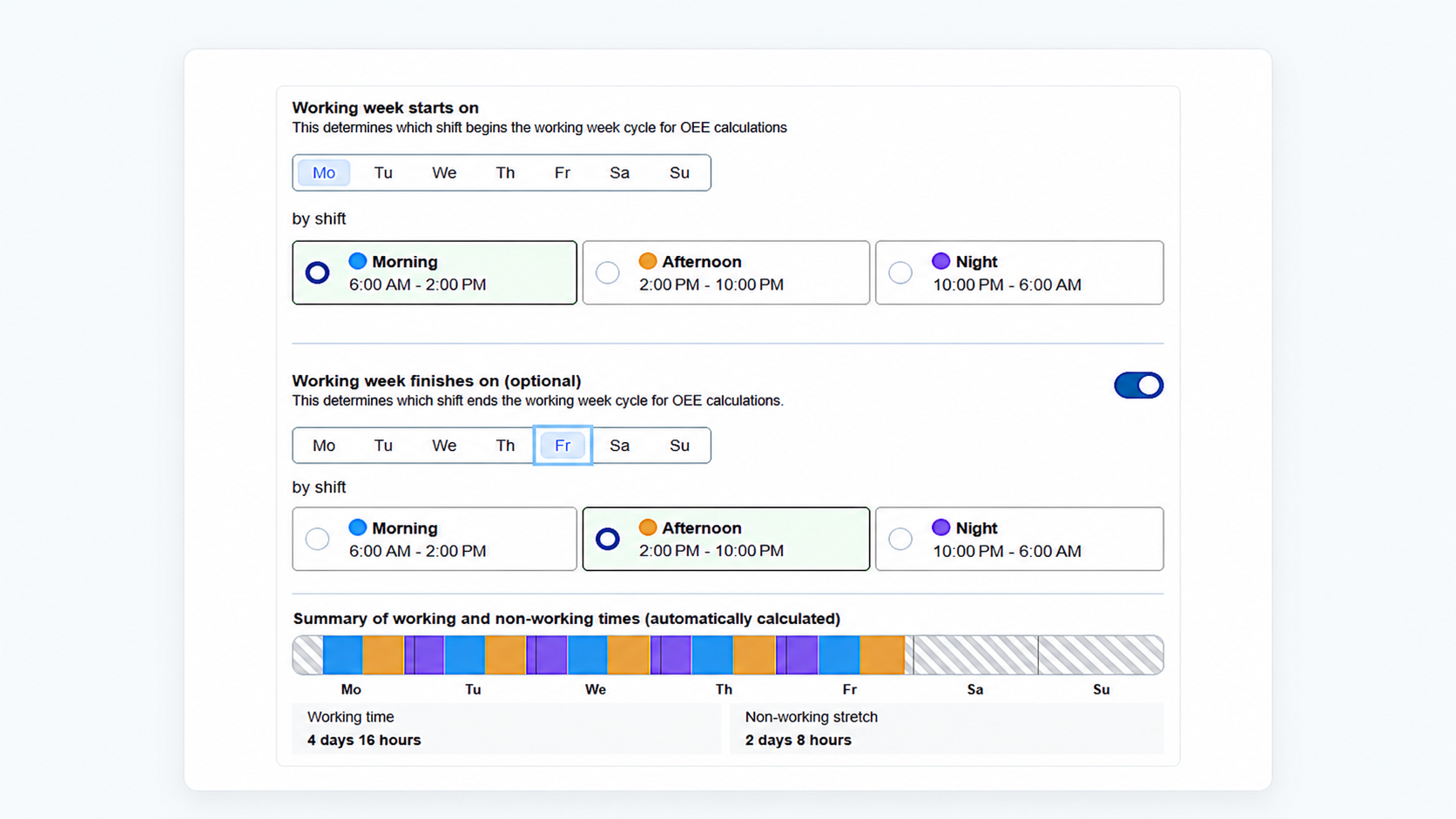
4. Work Shift Plans
Now you can also set an end to a shift plan, not just the beginning.
Picture 11:
This factory works in three shifts. The first starts on Monday at 6 AM; the last one ends on Friday at 10 PM.
Need Help?
Not sure how to set something up, or just have a question?
Reach out to your Checkbot representative—we're happy to help:
kisugite@checkbot.com, kouba@checkbot.com, or kotrous@checkbot.com, or our customer support team at hotline.checkbot@oksystem.cz


 Download 2025
Annual Report
Download 2025
Annual Report